
It's not too late to join the Bible Challenge, which just started today (9/21/2026).
Susan Moyle and Amy Cooley will be our coordinators for a reasonably paced read-through of the whole Bible.
Enrich your worship, learn exactly where that verse is from, and deepen your understanding of God's Word.
As we read daily, we’ll support one another, share insights, and grow in faith as a community.
The group meets in the Fellowship Hall, Sundays @ 9:15am.
You can access the complete schedule of readings by clicking the (red) button below. We also have a group in Realm which contains supplemental resources/information.
To make the process even easier, we have created an .ics file which will allow you to preview the daily readings using the calendar app. on your computer, tablet, or smartphone. Instructions on how to use/import the .ics file can be found below.
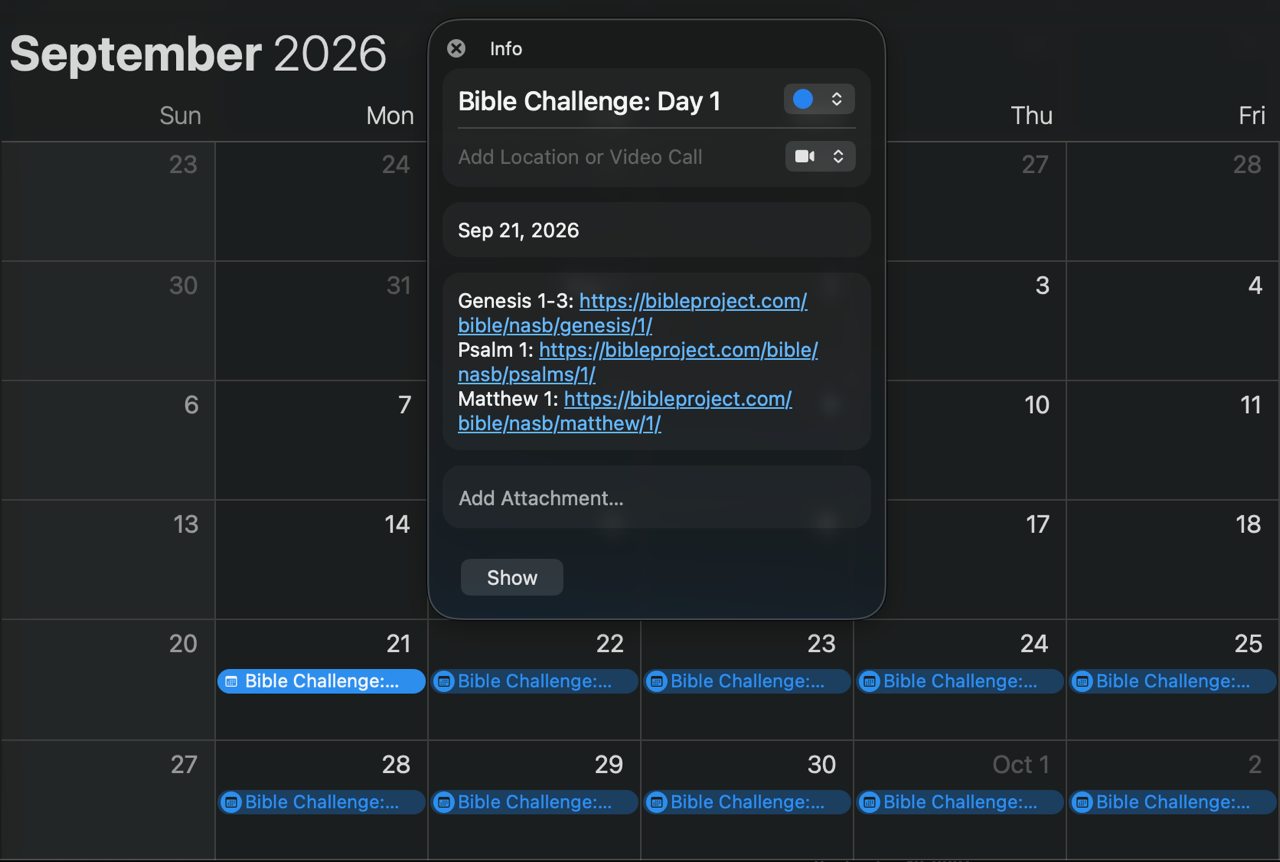
At the bottom of this page is a button that will allow you to you to download an .ics file. This file will create all-day events (on your calendar) for the entire duration of the Bible Challenge.
Prior to opening this file, we highly encourage you to create a new calendar (called “Bible Challenge”). This will ensure that the all-day events (for the Bible Challenge) can easily be toggled on/off. Those with very hectic calendars will really appreciate this.
Most people store their calendar/events within Google, Microsoft, or iCloud (Apple).
Here (3) links that can be used to create a new calendar. (Click on the (1) link that best fits your situation.)
Apple/iCloud: https://www.icloud.com/calendar/ (Click ➕ in left-hand sidebar)
Google/Gmail: https://calendar.google.com/calendar/u/0/r/settings/createcalendar
Microsoft/Outlook: https://outlook.office.com/calendar/addcalendar
After you create the new calendar, you are ready to open the .ics file! When you open the .ics file, you will have the opportunity to select which calendar the events should be added to. Make sure to choose the “Bible Challenge” calendar.
